
A simple app is the one you’re still opening a month from now. That comes down to three things: almost nothing to set up, very little on the screen, and no guilt when something waits a day. Composed is an AI calendar for iPhone built on those three. You tell it what’s coming. It does the rest quietly.
Nothing to fill in.
Say “dentist Thursday at 2pm” or type it, and it’s on your calendar with its reminders. No date wheels, no time pickers, no deciding when you want to be reminded. If it has an address, Composed also works out when you need to leave.

One screen for the day.
Today shows what’s next and the time to leave for it. Your to-dos fold into one line until you want them. Deadlines and birthdays sit in their own short lines. Nothing is shouting.
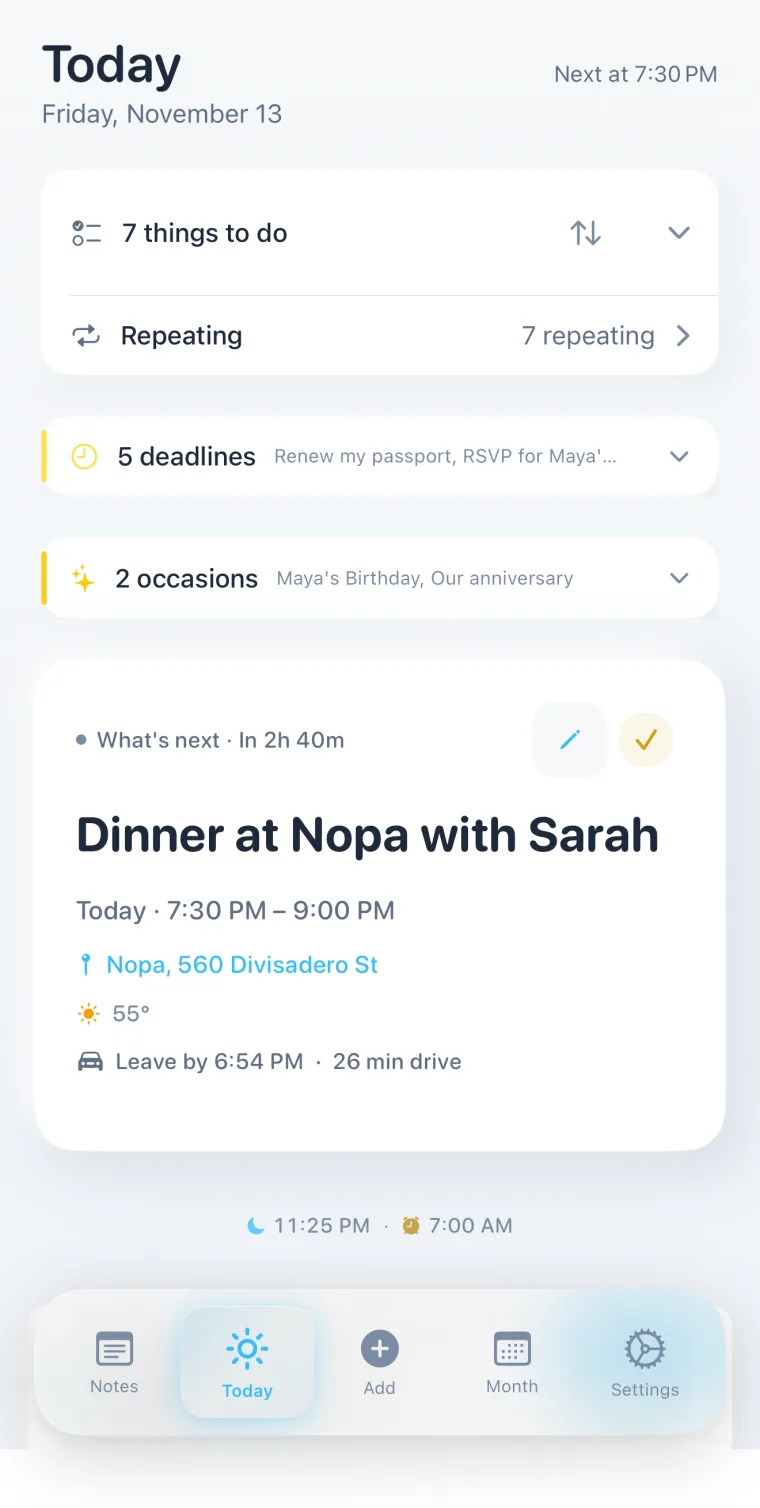
No red. No “overdue.”
Composed has no red alerts and no overdue labels. Something that has waited a day is just still on your list, described plainly, not flagged. Deadlines are a soft yellow on the day they’re due.
It closes the day for you.
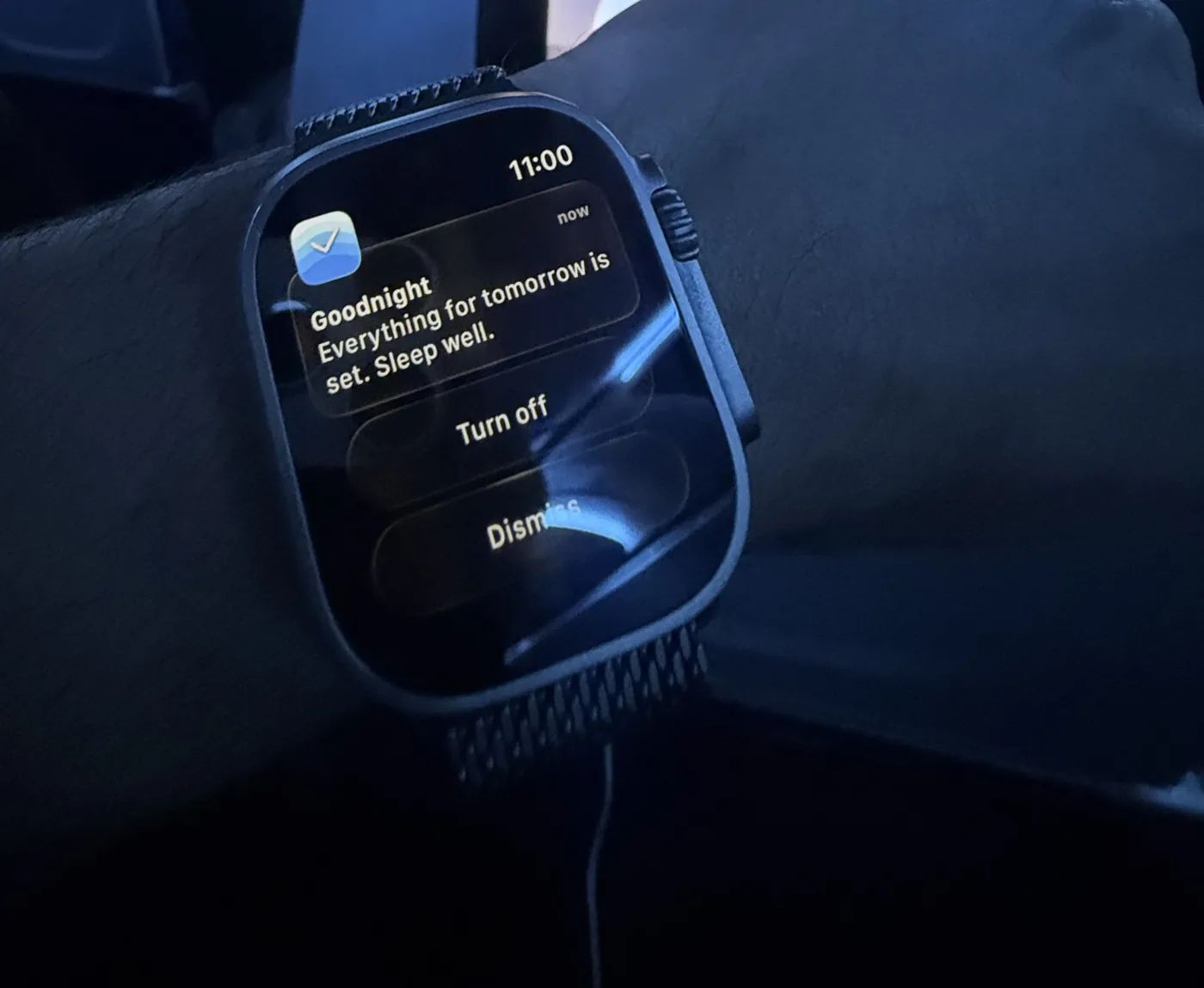
Tell Composed when you usually go to bed and it winds the day down: a quiet note that tomorrow is handled, so it isn’t sitting in your head. A morning brief is there too if you want one, and it’s off until you say yes.
Say it once.
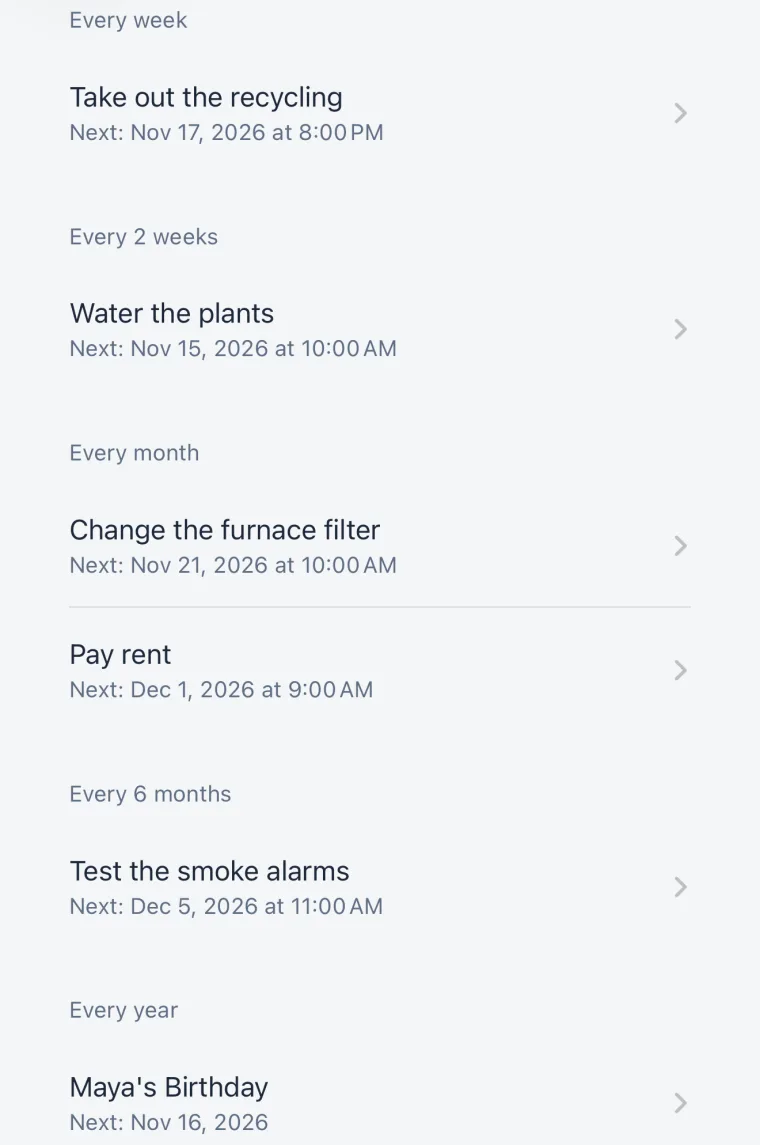
Recycling every week, rent every month, the smoke alarms twice a year, every birthday. You set each one once and stop thinking about it.
Your calendar stays where it is.
Composed reads Apple Calendar and Google Calendar both ways, so there’s nothing to move and nothing to rebuild. Events you already have get reminders and a time to leave too.
What it costs.
Composed is free for 5 active items you add yourself, with every feature included. Events from your Apple or Google calendar and birthdays don’t count toward the 5. Composed Pro removes the limit: $5.99 a month, $39.99 a year with a 7-day free trial, or $199 once for the Founder Edition.
Every screen, in order: how Composed works.
Questions people ask.
Is Composed a planner?
It’s a calendar that does the setup for you. You don’t plan out your day in it; you tell it what’s coming and it schedules it, reminds you and tells you when to leave.
Does it have projects, tags or priorities?
No. Composed keeps your events, to-dos, deadlines and notes on the days they belong to, and nothing more.
Does it work on Mac?
Composed runs on iPhone and iPad, and its reminders show on your Apple Watch. On a Mac or any computer, sign in at staycomposed.app/app with the same account to see your day, your month and your to-dos.
Is it free?
Yes, for 5 active items you add yourself, with every feature included. Pro, with no limit, is $5.99 a month, $39.99 a year, or $199 once.