The flight is the easy part. It’s the hours before it that go wrong: the check-in you meant to do, the time you meant to leave. Composed, an AI calendar for iPhone, takes a flight and times each of those for you, in the departing airport’s own time zone.
Add the flight.
Add a screenshot of the booking confirmation, or say it: “flight to Denver Saturday 7:15am from DTW.” Composed shows you what it read, the flight, the time and the airport, before it saves. If the booking shows more than one flight, it asks you to add the rest so the whole trip is together.

When to leave for the airport.
Composed asks Apple Maps how long the drive to the airport takes from where you are, with traffic as it is, and adds the airport: 2 hours for a domestic flight, 3 for an international one. That’s your time to leave, and you’re told when it comes. See leave on time.
Then the flight’s own reminders.
- Check-in, 24 hours before: “Check-in is open for DL 2424 to Traverse City.”
- Four hours before: when it departs, the terminal if the booking has it, and when to be at the airport.
- Boarding: at the boarding time on your pass, or worked out from departure when there isn’t one.
- Gate closing, 20 minutes before departure: “DL 2424 gate closes in about 15 minutes.”
- A layover: your connection, how long you have, and the next flight.
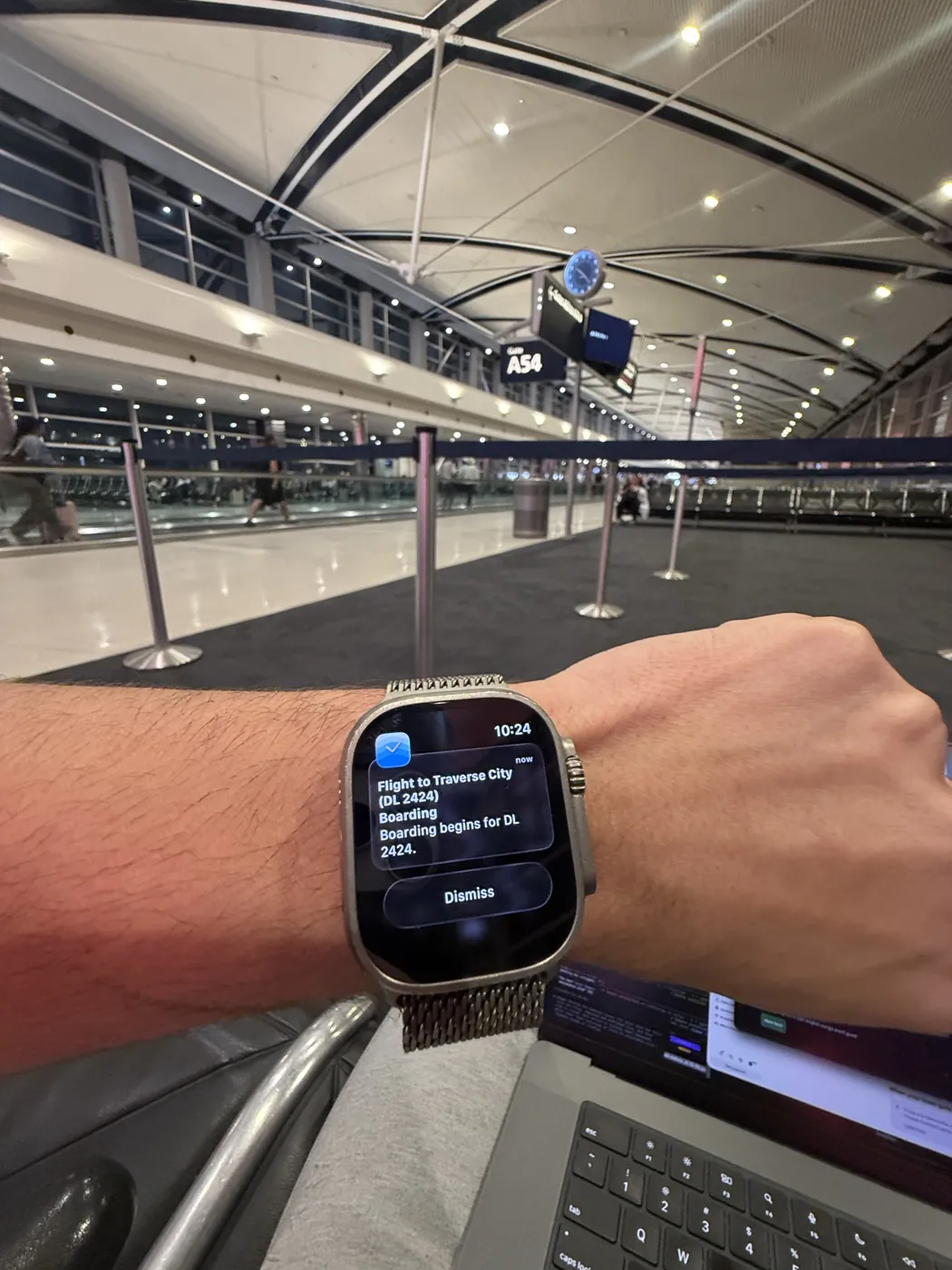
Times in the airport’s time zone.
A 6:45 AM flight out of Tokyo shows as 6:45 AM, wherever your phone thinks it is. Every flight time and every reminder is worked out in the departing airport’s time zone.
What it doesn’t know.
Composed reads the booking you give it. It doesn’t connect to airlines, so it won’t hear about a gate change, a delay or a new time. Check those with your airline, and if the flight moves, add the new confirmation.
Questions people ask.
- Does it track my flight live?
- No. It works from your booking. Your airline's app has the live status.
- Can I add a hotel too?
- Yes. A hotel or rental booking becomes a stay across every night of the trip, with reminders for check-in and checkout. See screenshot import.